1
Add your vehicle
Simple fields: make/model, odometer, photo (optional). Set up in under a minute.
Android fuel tracker
Add a vehicle, log a few fill-ups, and see real MPG/km·L and cost-per-mile — no spreadsheets required.
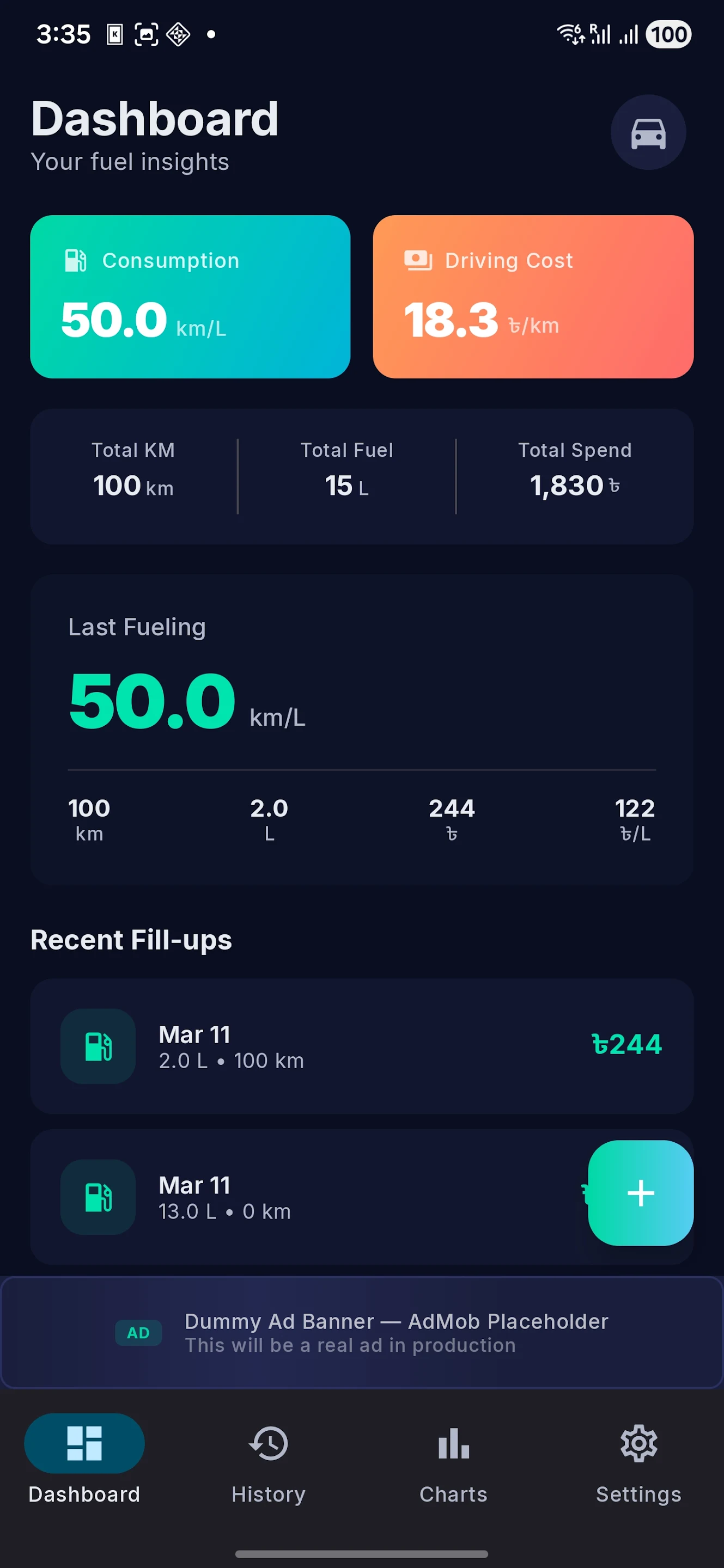
Three fill-ups are enough to start seeing the shape of your real fuel cost. Add the vehicle, log normal fill-ups, then watch the dashboard turn receipts into usable numbers.
Simple fields: make/model, odometer, photo (optional). Set up in under a minute.
Enter liters/gal, price, and odometer. Partial and full fills both supported.
Average mileage, cost per mile, and monthly fuel spend appear automatically.
Built for drivers who depend on every mile
If you drive for delivery or rideshare, see exactly how fuel affects your earnings. Track one vehicle or an entire small fleet — one purchase unlocks unlimited vehicles.

Take your last 3 fill-ups — add total fuel cost ÷ total miles driven = your actual cost per mile.
Example: $120 over 300 miles = $0.40/mi. That number tells you whether a route, vehicle, or a fuel stop is costing you money.
TankLog helps you see whether mileage is improving, fuel spend is rising, or a vehicle is starting to cost more than usual.
Spot changes in MPG or km/L across recent fill-ups.
Compare your fuel cost month by month.
TankLog is built for drivers who want a clean record without a spreadsheet. Start with one vehicle, then unlock Premium when you need more.
Odometer, quantity, price, station, notes — track every fill-up in under 30 seconds.
km/L and MPG, metric and imperial — your choice, no conversion needed.
Track maintenance alongside fuel. Get reminded before a service is overdue.
CSV export keeps your history portable for budgeting, reimbursement, or personal records.
One purchase unlocks unlimited vehicles — manage a small fleet or just your daily driver.
Restore records across devices after signing in. Your data travels with you.
TankLog stores your vehicle and fuel records with cloud sync after sign-in — export anytime to CSV. One-time unlock for unlimited vehicles, ad-free, and priority support.